Commissioning, handover and project portfolio

Value isn’t lost in construction. It’s lost at handover.

CxOps coordinates your project portfolio and closes out the handover to operations: every deliverable, every system and every test, in a single record.

Example handover status by system and phase. Sample data, not from a real project.
SystemPre-com­mis­sion­ingCom­mis­sion­ingHandover
Medium voltageCompleteCompleteComplete
Emergency generatorCompleteCompletePartial
Air conditioningCompletePartialPending
Fire protectionCompleteCompleteComplete
ElevatorsPartialPendingPending
Building automationCompletePartialPending
CCTV and access controlCompleteCompletePartial
PlumbingCompleteCompleteComplete

3 of 8 systems ready to operate

Sample data

  • 0% · Pending
  • 50% · Partial
  • 100% · Complete

The problem

Where value gets lost

Three symptoms that keep showing up in premium construction portfolios, whatever the size of the group.

Fragmented coordination across disciplines

Architecture, engineering, MEP and commissioning move forward in separate systems that don’t talk to each other. Every handoff creates friction nobody planned for.

Commissioning without traceability

Tests, certifications and closeout items live in scattered folders and emails. Nobody can say with certainty what’s left before operations.

An invisible corporate portfolio

A group with several active projects has no real consolidated view. Each department reports its progress separately, in different formats.

Where CxOps fits

Construction software measures progress. CxOps coordinates the portfolio and closes out the handover.

Which project stage each tool covers
Construction mgmt.CxOpsPortfolioCxOpsConstruction
DesignNot coveredCoveredNot covered
ConstructionCoveredCoveredCovered
CommissioningNot coveredNot coveredCovered
HandoverNot coveredNot coveredCovered
OperationsNot coveredNot coveredNot covered

Both platforms share a single record. An item can be blocked by another, even one on the other platform: the blocking item shows who is waiting on it, and the time blocked stays in plain sight.
Platform

CxOps: two platforms, one record

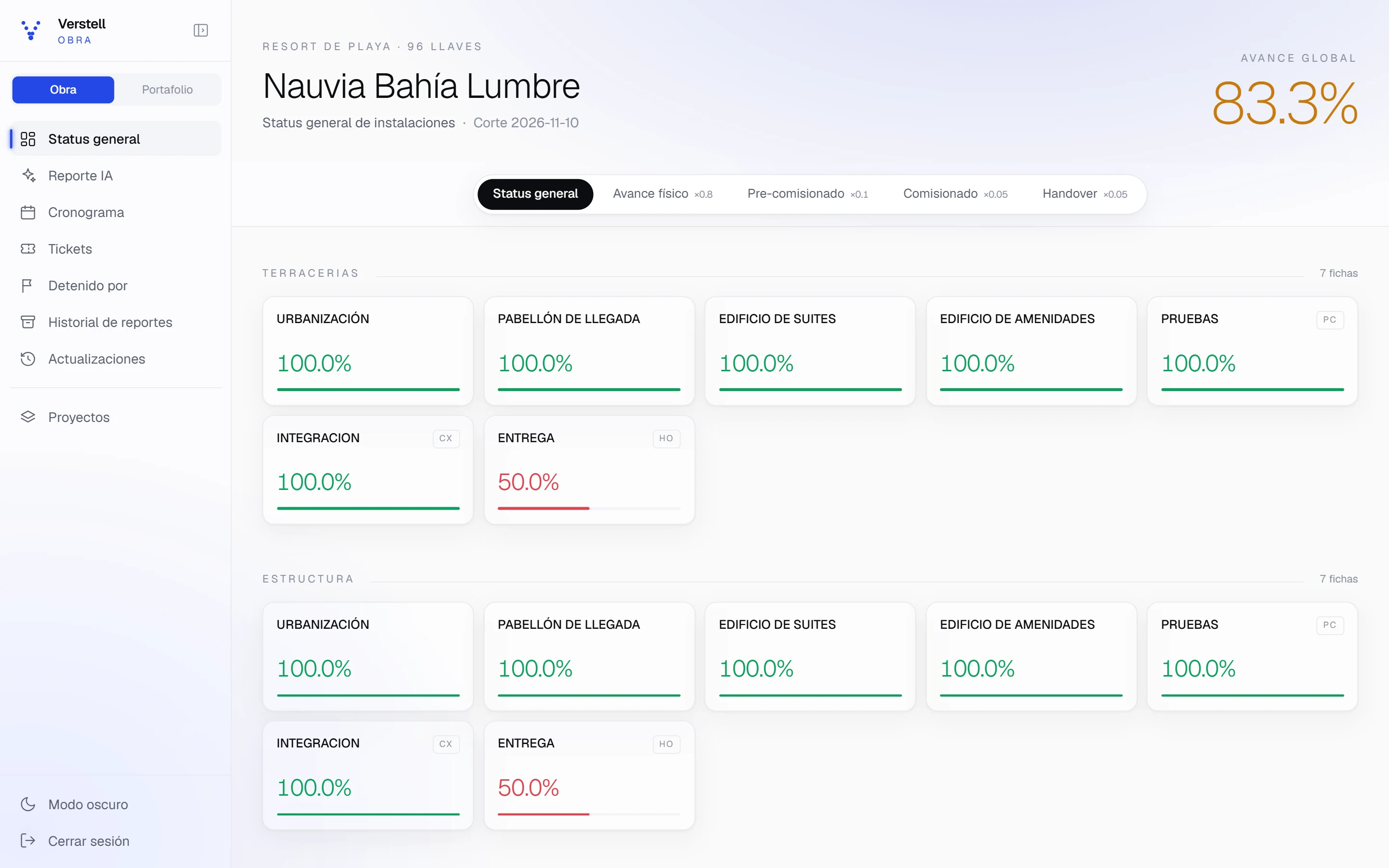
Portfolio tracks design and engineering deliverables across every project in the group. Construction measures the build and the three handover phases, system by system. Both share users, permissions and activity history.

CxOps

Portfolio

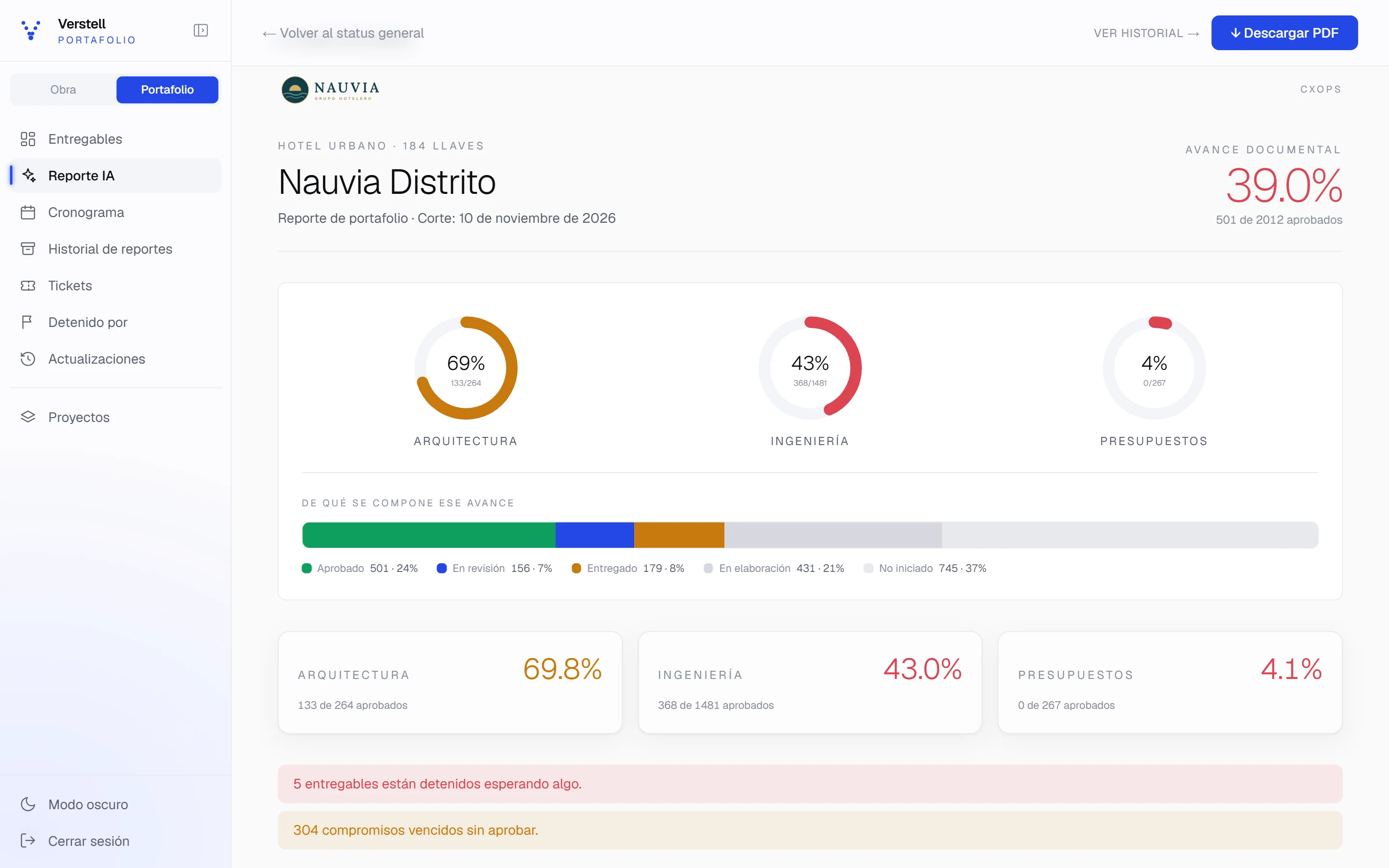
Every architecture, engineering and cost-estimating deliverable, with an owner, a due date and one of five statuses.

How much a deliverable counts in each status
  • Not started0%
  • Drafting25%
  • Submitted60%
  • Under review75%
  • Approved100%
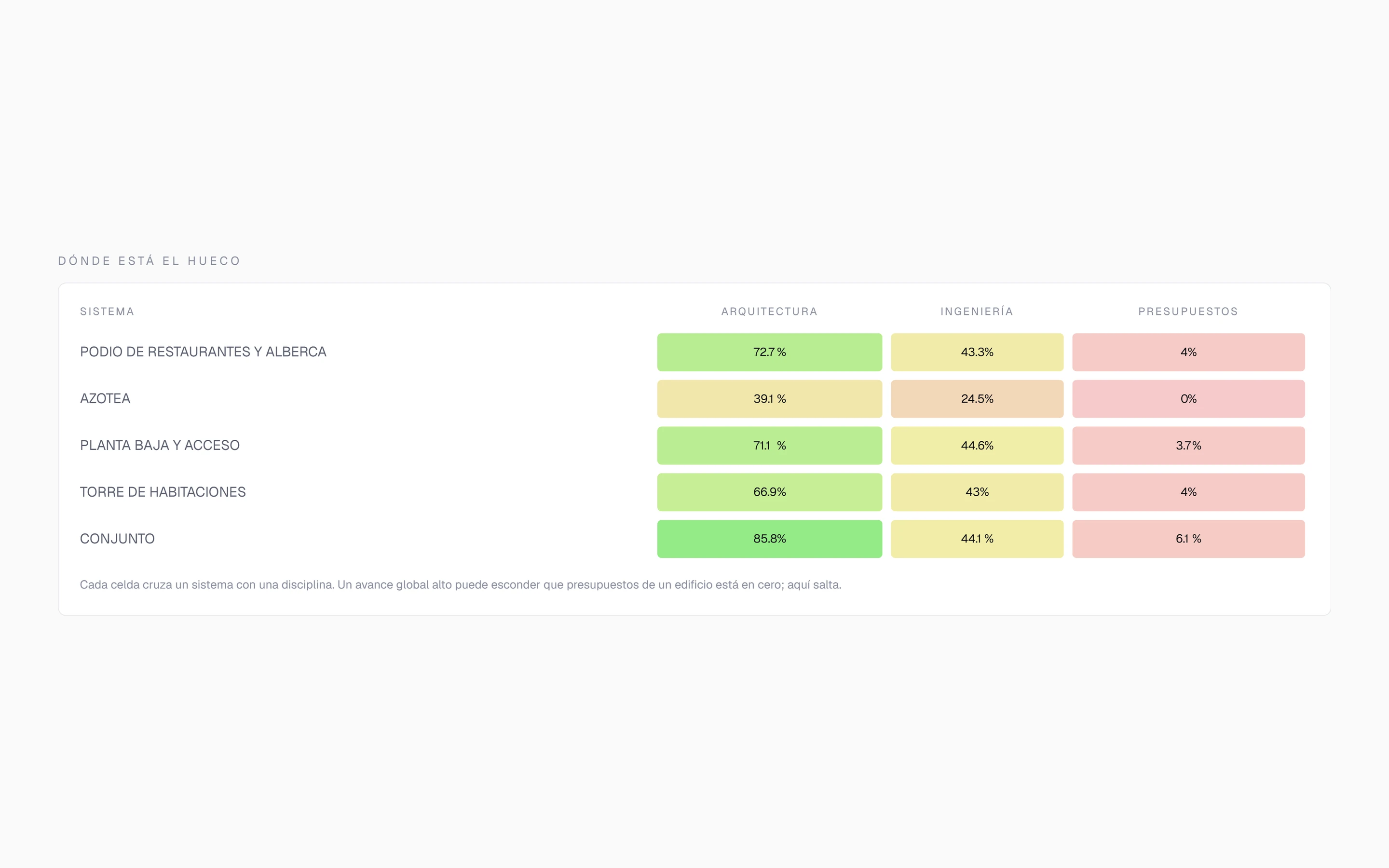
  • Heat map of system against discipline
  • S-curve and schedule of due dates
  • Critical path of documents
  • Alerts for overdue items and disciplines running ahead

CxOps

Construction

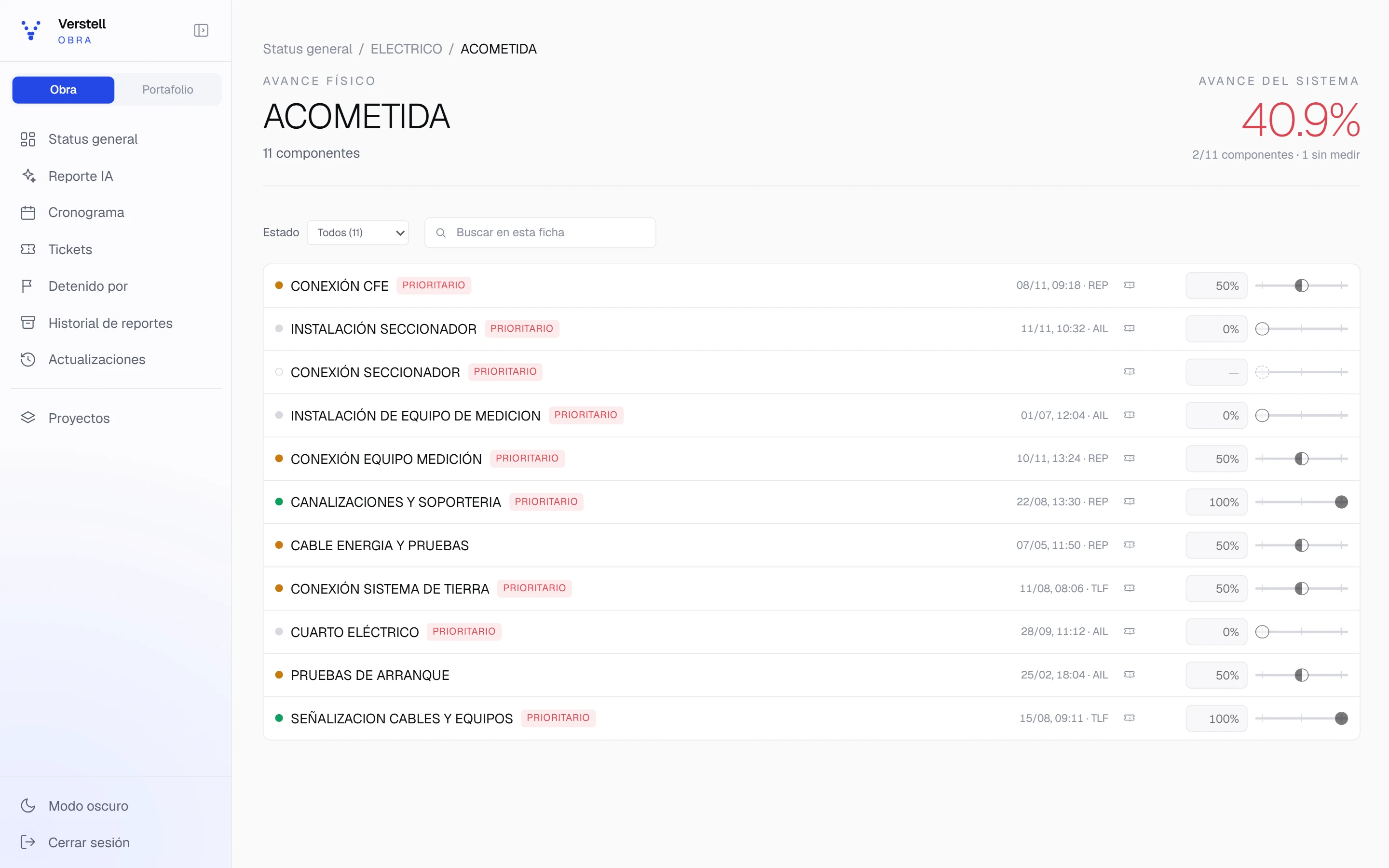
Physical progress of every item in a tree up to eight levels deep, plus each system’s pre-commissioning, commissioning and handover tests.

How a project’s overall progress is built
  • Physical progress80%
  • Pre-commissioning10%
  • Commissioning5%
  • Handover5%
  • Progress in percent, by slider or typed in, with author and date
  • Tests by phase, with code and group
  • Planned vs. actual schedule
  • An item with no capture counts as zero; it isn’t ignored

What connects them

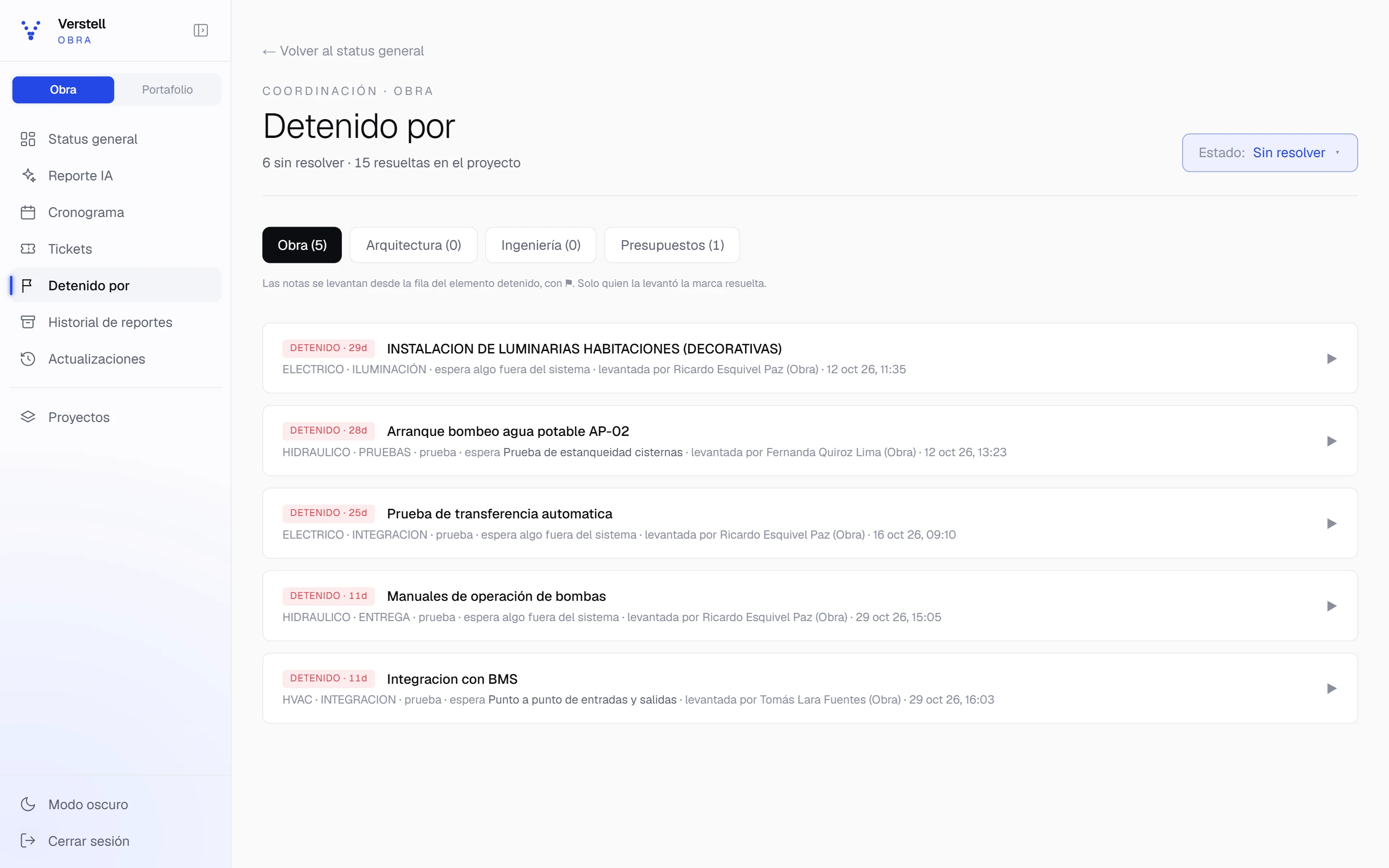
Blocked by

An item can be blocked by another, on the same platform or the other one. The record stays even after the block is resolved.

Tickets on the exact item

Every ticket sits on an item in the tree, with a thread, attachments and an owner. No ticket is ever deleted.

AI executive report

A written summary built from the project’s data, with charts and schedule, as a PDF with the client’s logo.

Activity and sign-ins

Every progress update with its author and date, every structural change and every sign-in to the platform.

Tour

What a project looks like in CxOps

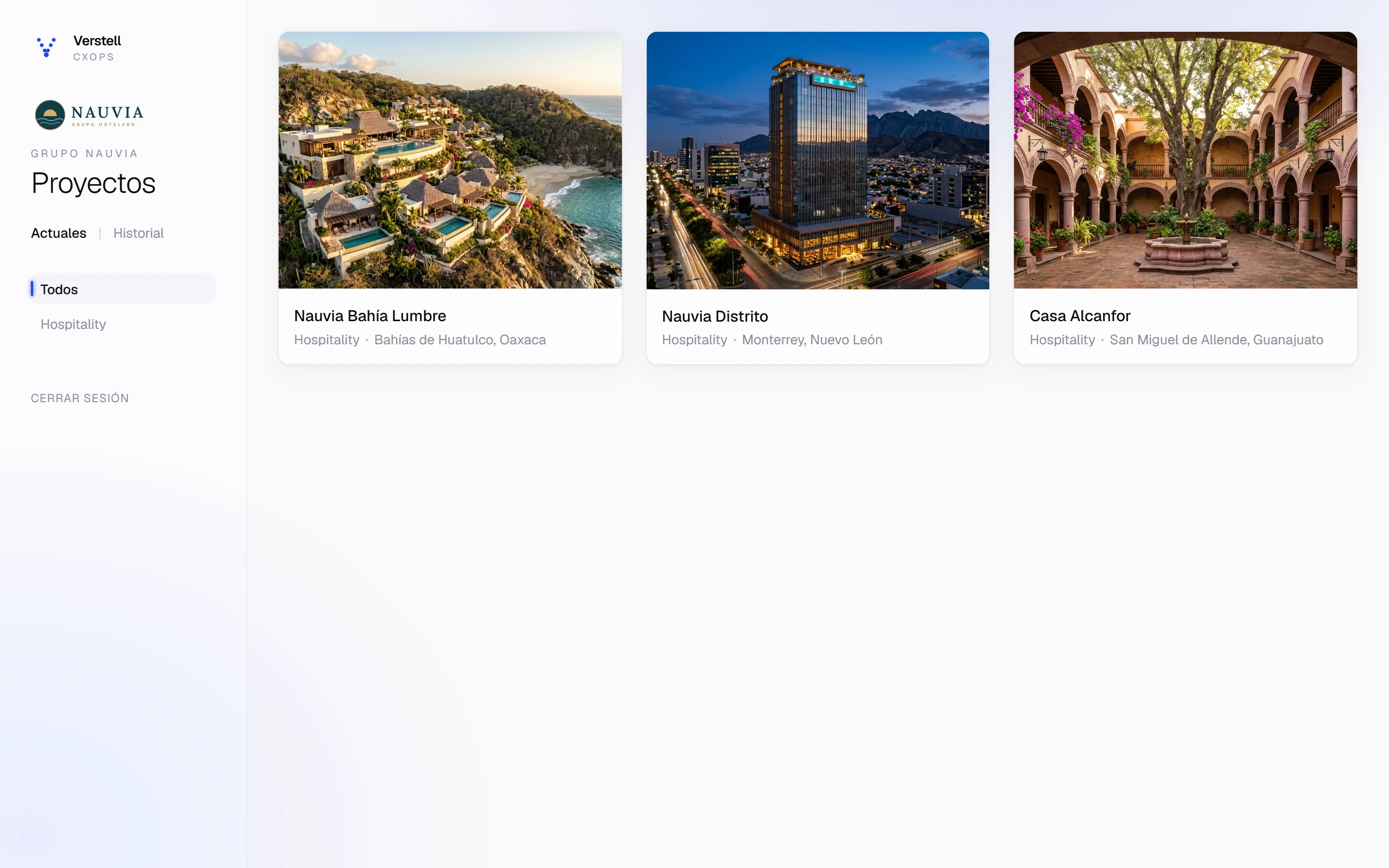
Real screens from the app, using the Grupo Nauvia demo. The projects, people and progress are invented; the rules that measure them are the product’s. The screens are shown in Spanish.

Every project with its type and location. From here you go into Construction or Portfolio.

Grupo Nauvia’s project gallery in CxOps: three hotels with their photo, type and location.

Grupo Nauvia demo · invented data

View full size (opens in a new tab)

Control and security

Who sees what, who changes what, and what happens when someone makes a mistake

It’s the first thing IT reviews before approving a platform. Everything on this list already works in CxOps.

  • Permissions by level and scope

    Viewers see the project without changing anything. Editors capture and modify only within their scope: construction, architecture, engineering or cost estimating. An outside guest sees only the projects they’re invited to, as a viewer, until the date you set.

  • Each company kept apart

    Permissions are decided on the server, not in the browser. We tested that changing an identifier in the URL doesn’t open another company’s data.

  • Protected access

    Sign-in attempts and emailed link requests are rate-limited. Passwords must meet minimum rules, and ones that have already appeared in breaches are rejected.

  • Nothing lost by mistake

    Deleted items go to a trash bin and come back intact, with their files and tickets. Tickets are never deleted, attachments are kept in storage, and deleting a project requires typing its name.

  • The AI reads data, not commands

    The AI report receives the project’s content separately from its instructions, marked as data. A name that looks like a command is treated as a name.

  • Server-side validation

    Every progress value, file name and identifier is checked again on the server, even if the screen already checked it.

From Excel to the platform

Start with what you already have

A group’s projects already live in spreadsheets, folders and site notebooks. CxOps builds their structure from them, without typing item by item, and exports its activity to Excel when needed.

  • Paste from Excel

    Copy rows from a spreadsheet and paste them: each row becomes an item. Empty leading cells set the level, so the hierarchy comes along too.

  • From a photo of your notebook

    Take a photo of a list or a table, handwritten or printed, and the AI transcribes it with its hierarchy. Nothing is created until you review it, and the photo isn’t stored.

  • Projects from a template

    A new project can start from an existing one, with its Construction systems, its Portfolio packages and their full trees.

  • Your folders become items

    Drop in the files from a folder and each one becomes an item, named after the file and with the file already attached. Up to 500 at a time.

  • And back to Excel

    The project’s activity exports to a CSV file that Excel opens cleanly, with every character and column in place.

Industries

Built for complex portfolios, not one project at a time

Luxury hospitality

Handover of complex systems — HVAC, audio, lighting, automation — to an operator who wasn’t part of construction, on timelines where every week of delay has a direct cost to the opening.

Vertically integrated groups

Construction, development and sales under one group, with portfolio visibility that today depends on manual reports between departments.

Corporate and industrial

Plants and facilities where incomplete commissioning turns directly into operational risk from the first day of operation.

About the founder

Roberto Rivera

Founder, Verstell

Civil engineer with more than 10 years of experience supervising construction projects, focused on luxury hospitality developments and large-scale corporate projects.

Verstell grew out of a question that keeps coming up on site: why a project can be built well and still reach operations in poor shape. His December 2023 article on computer vision in engineering management is the documented starting point of that line of thinking.

Read (in Spanish): Computer Vision — Where to look in engineering management
Experience
10+ years supervising premium construction
Utility model
Registered in Mexico · MX/u/2018/000161
Publications
Technical articles since 2023, in Spanish

Contact

Request a demo

Tell us briefly about your project portfolio. We reply directly — no sales team in between.